Auctions Wave LogoAuctions Wave
Auctions Wave
⚡ Turn Shopify Products into Active Auctions

Boost Sales & Engagement with
Auctions Wave

Run live, competitive auctions directly on your Shopify store. Engage buyers in real-time, drive urgency with countdown timers, and optimize product valuation.
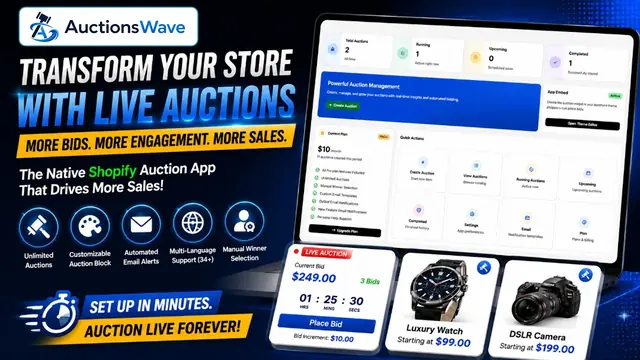
AuctionsWave Product Demo Video Thumbnail
Official Tutorials & DemoWatch on YouTube

Why Choose Auctions Wave?

Built natively for Shopify, Auctions Wave offers performance, premium animations, and custom integrations to grow your bidding audience.

Real-time Urgency

Live bidding timers and active counts drive faster buying decisions.

Higher Product Valuation

Allow buyers to compete, frequently leading to higher closing prices.

Complete Control

Set custom bid increments, reserve prices, and automatic winner rules.

Buyout Price Option

Let customers skip the bidding and purchase items instantly at a set buyout price.

Bulk Auction Setup

Create individual auctions for multiple products simultaneously with a single click.

Global Language Support

Translate your auction widgets and emails to welcome international shoppers.
Frequently Asked Questions

Get answers to common questions about setting up and running AuctionsWave on your Shopify store.

AuctionsWave is a Shopify App that allows store owners to run auctions on their website. An auction is a method of purchasing and selling products by offering them up for bids, accepting bids, and then selling the item to the highest bidder.
No coding skills are required! Simply installing the app automatically displays the auction block widget on your product pages. If the widget does not appear automatically on custom theme layouts, simply go to Settings in your AuctionsWave dashboard, find the Widget Selector option, and replace or add your custom CSS class selector.
You can set up and launch your first auction in under 2 minutes. Simply install the app, toggle the Theme Embed on, select your product in our app manager, define your bid options, and click create.
When creating a product auction, if you enable the 'Variant Selection' option, the winning customer can select their preferred product variant (such as size, color, or model) directly from the available options once the auction is completed before checking out.
Yes! You can set a reserve price. If the final bid does not meet or exceed this amount, you are not obligated to complete the order.
Absolutely! Our widget settings allow you to customize color schemes, buttons, fonts, border radii, and countdown timers to perfectly match your store's branding.